Re-imagining Campus Food
Design Research + ChatBot
Semester I, September 2023
“Aim to understand through research”
Project Overview
The Reimagining Campus Food project was initiated to tackle student dissatisfaction with the new campus canteen, following the college's relocation. The objective was to improve the dining experience by investigating preferences, dietary requirements, food accessibility, safety, and sustainability, ultimately crafting solutions specifically for the Srishti Manipal campus community. I led the research aspect of the project, while the development of the ChatBot was my individual effort that utilized the findings from our research.
Purpose
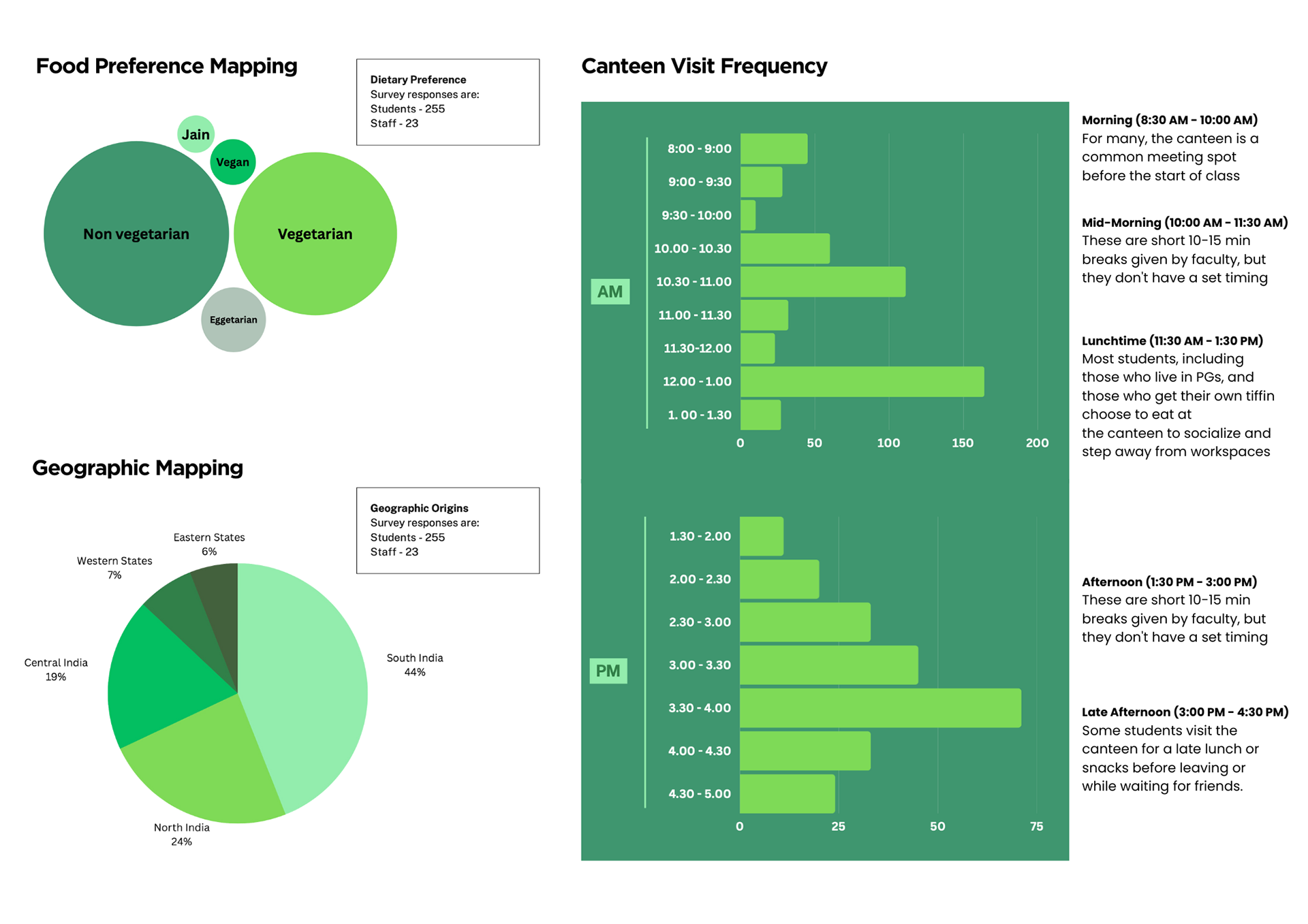
Due to feedback about the limited options and service issues in the new canteen, the research focused on identifying dietary preferences, affordability, quality, and overall satisfaction. The project aimed to provide recommendations that improve inclusivity, convenience, and sustainability in the dining options available on campus.
Approach
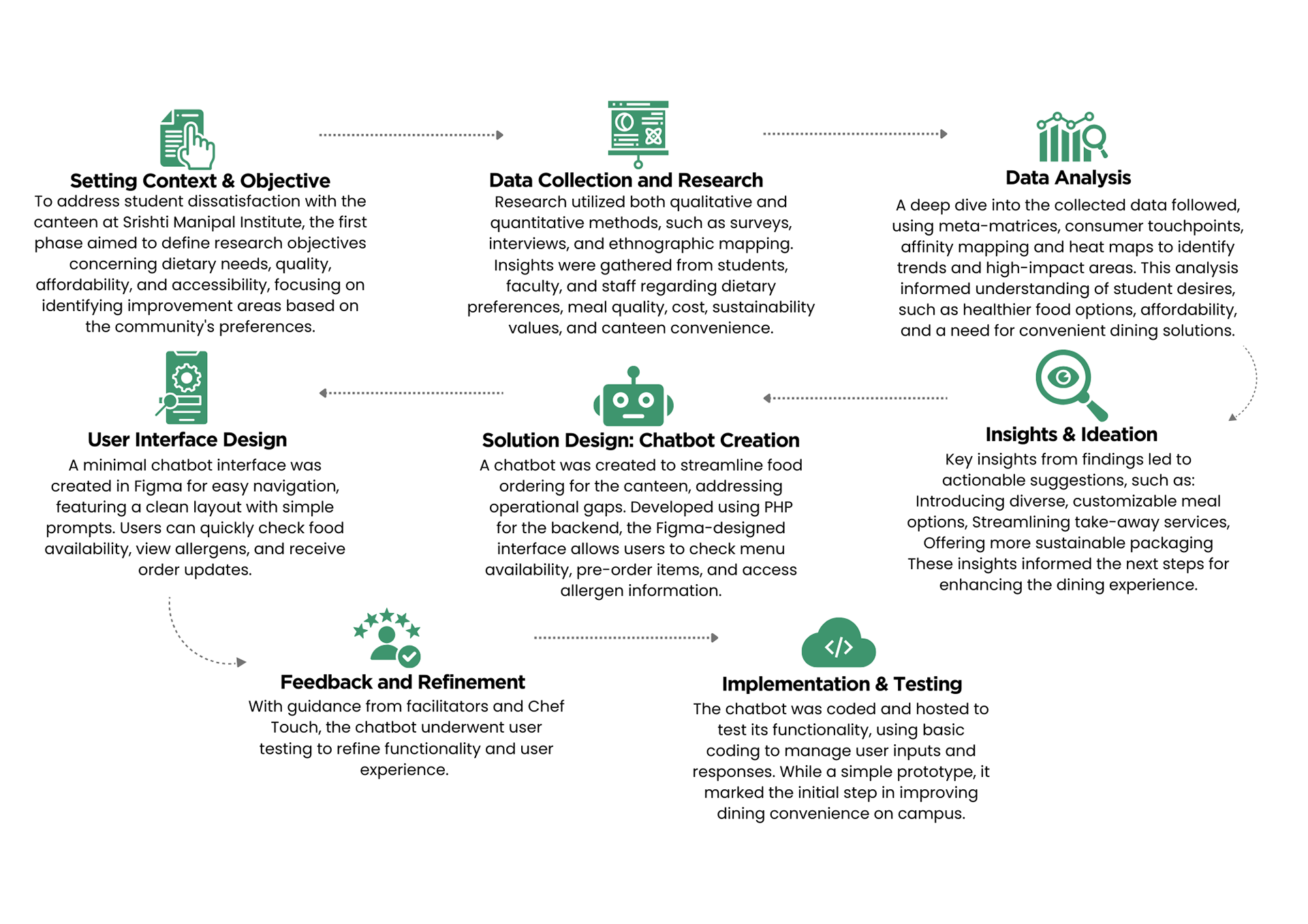
Supported by Chef Touch’s expertise, the facilitators’ guidance, and feedback from peers, data was collected through surveys, interviews, and observations. Findings were used to design a PHP-based chatbot integrated with Figma, allowing users to check menu availability, place orders, and explore dietary options. This system was developed to make canteen interactions more efficient, using coding and design to streamline the ordering experience for students and staff alike.
Process Map
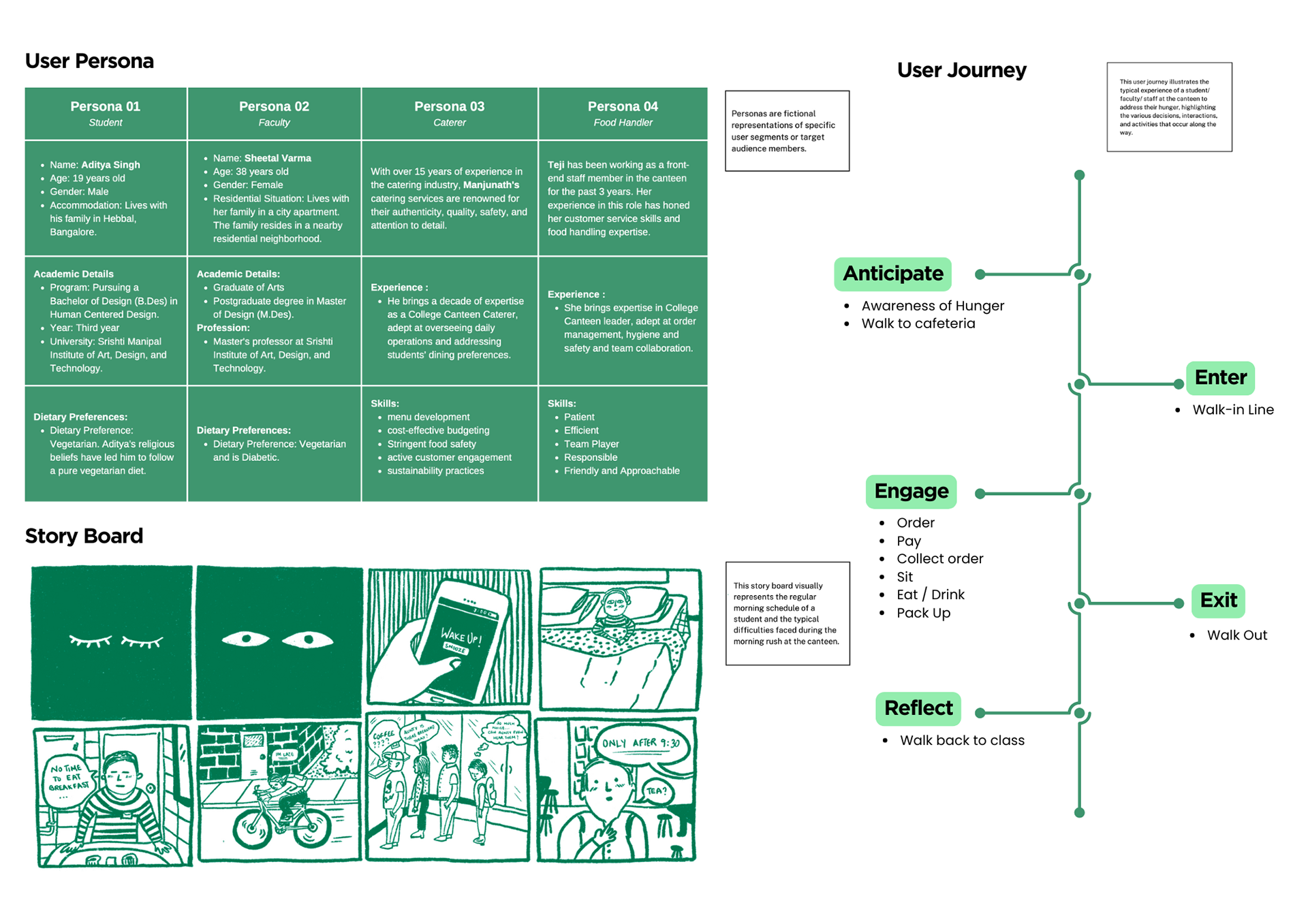
Research & Findings
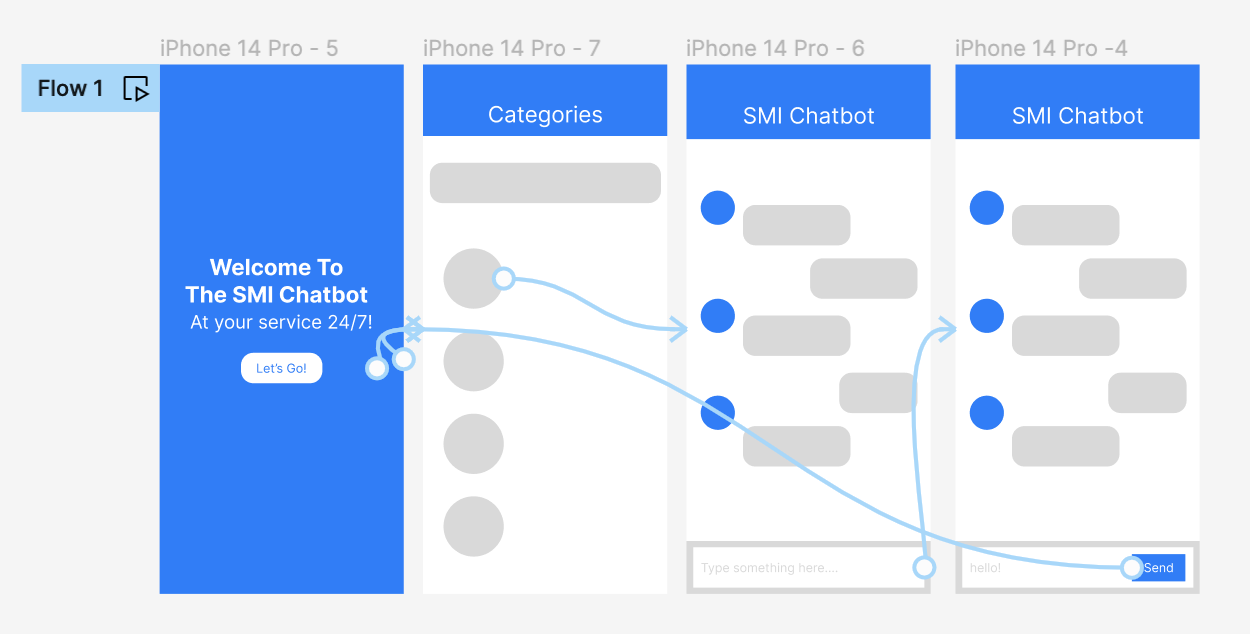
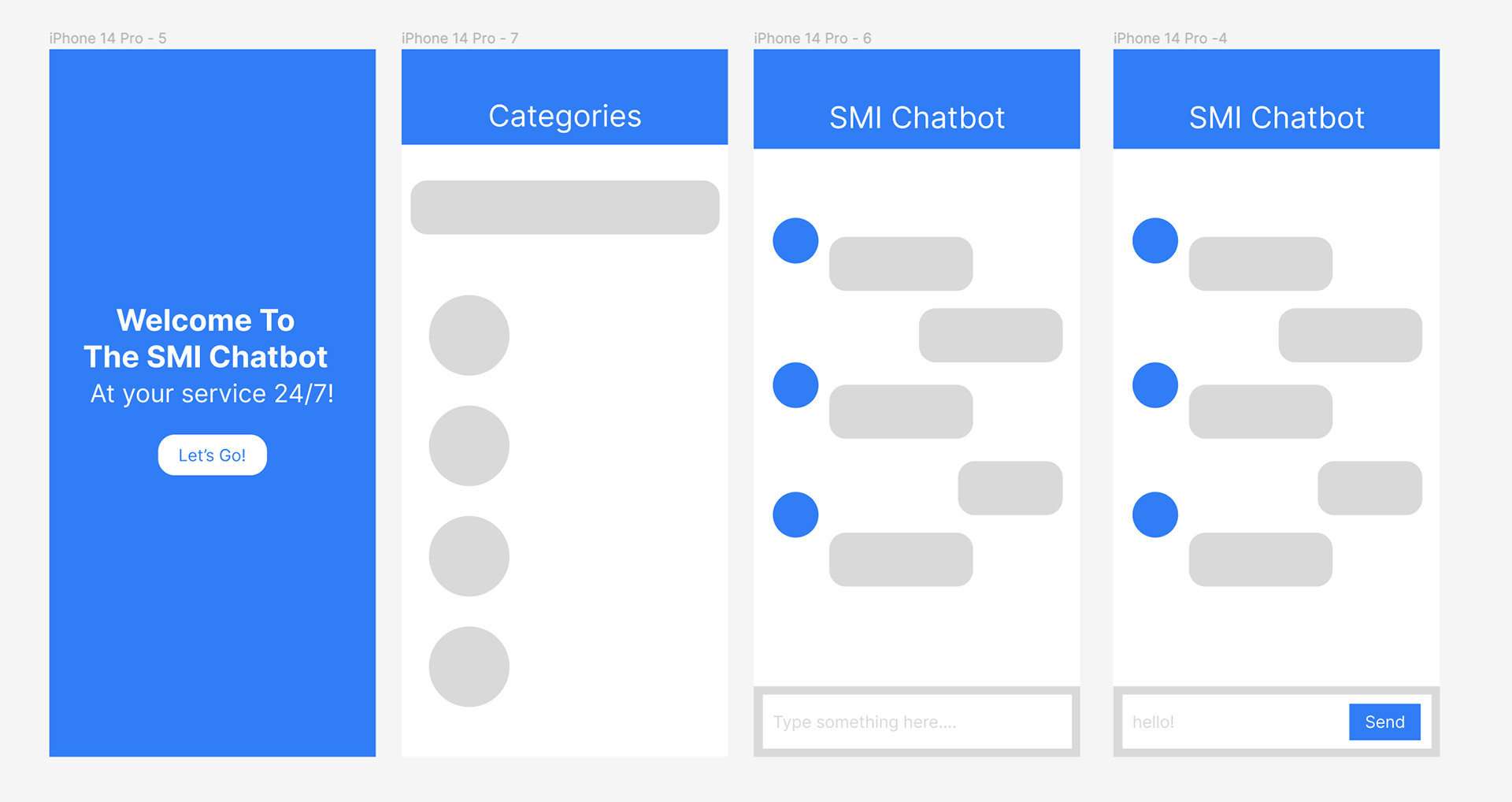
Prototyping on Figma
Coding the ChatBot
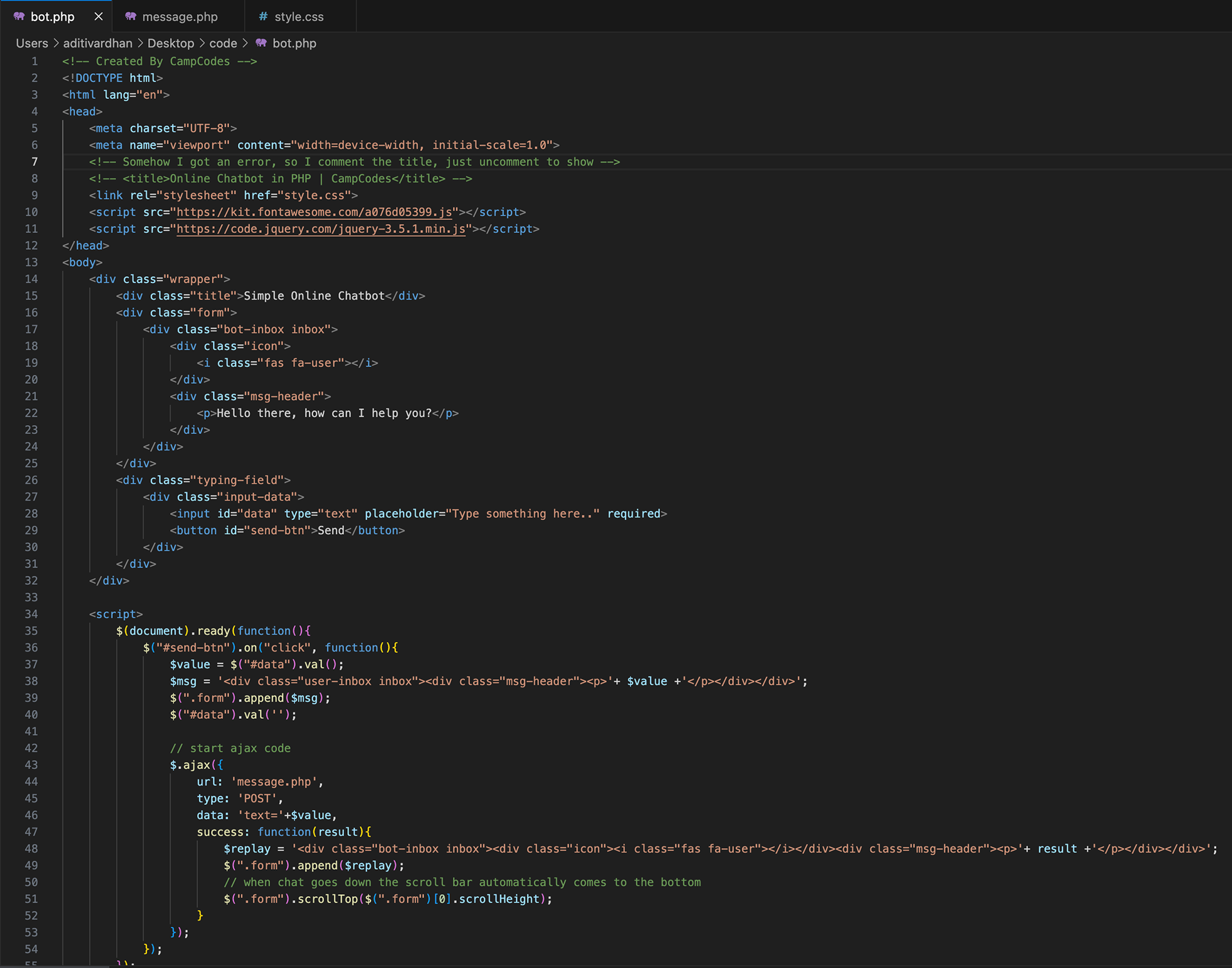
Front End- HTML, JavaScript and jQuery
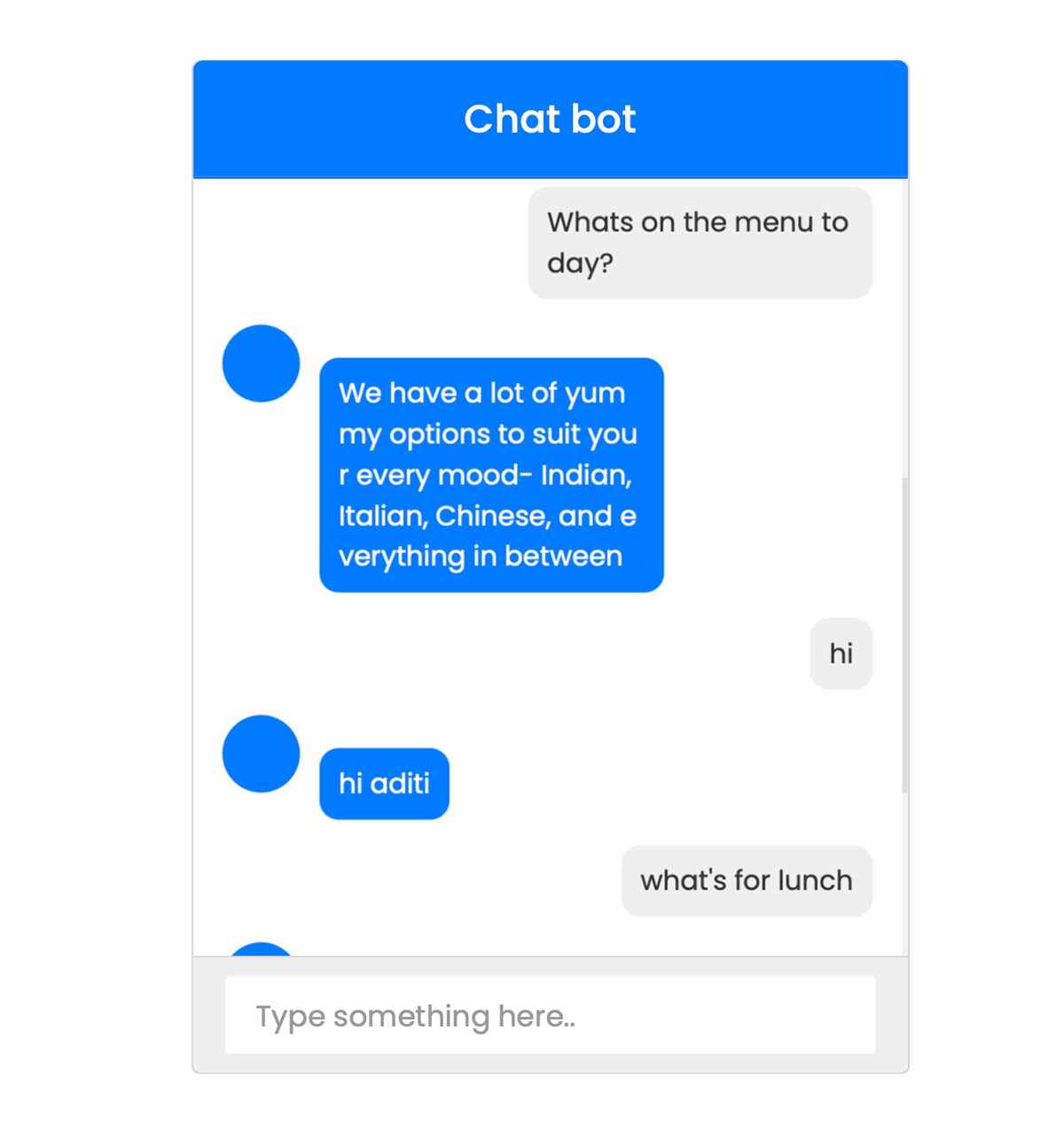
This ChatBot interface has a form section to display messages, an input field and Send button for users to enter queries.
When the user clicks the Send button, jQuery captures the input text, displays it in the chatbox, and sends it to the server via AJAX to get a response. The response is appended to the chatbox, creating conversation flow.
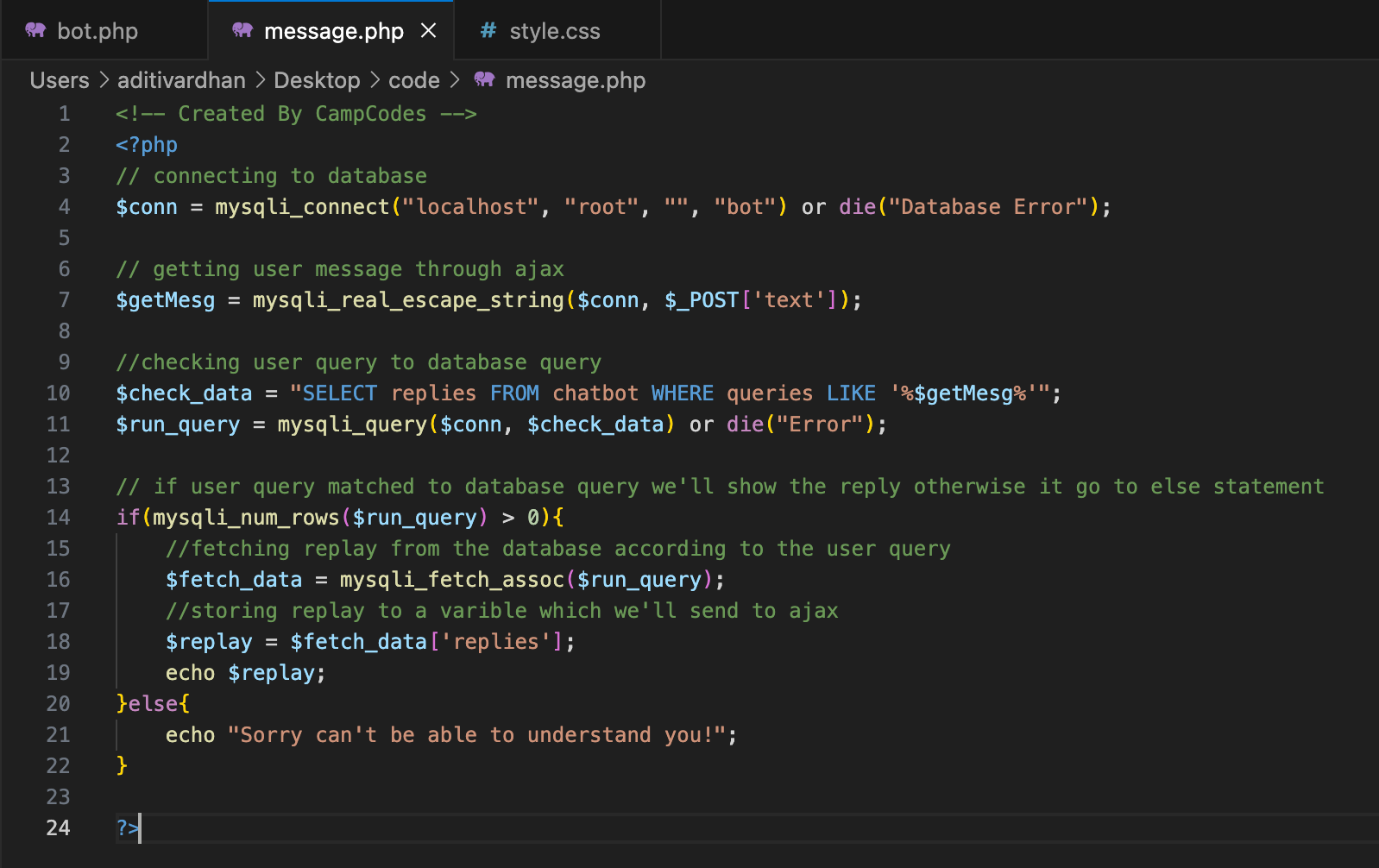
Back-End & Database Connection-PHP, AJAX, MySQL
The PHP script handles the backend functionality of the chatbot
Database Connection: It connects to a MySQL database named bot . The database must have a table, chatbot , with fields like queries (for user queries) and replies (for bot responses).
Receiving User Input: It uses AJAX to receive text input from the user.
Query Matching: It checks if the user’s message ( text ) matches any entries in the queries column of the chatbot table. If a match is found, it retrieves the replies associated with that query.
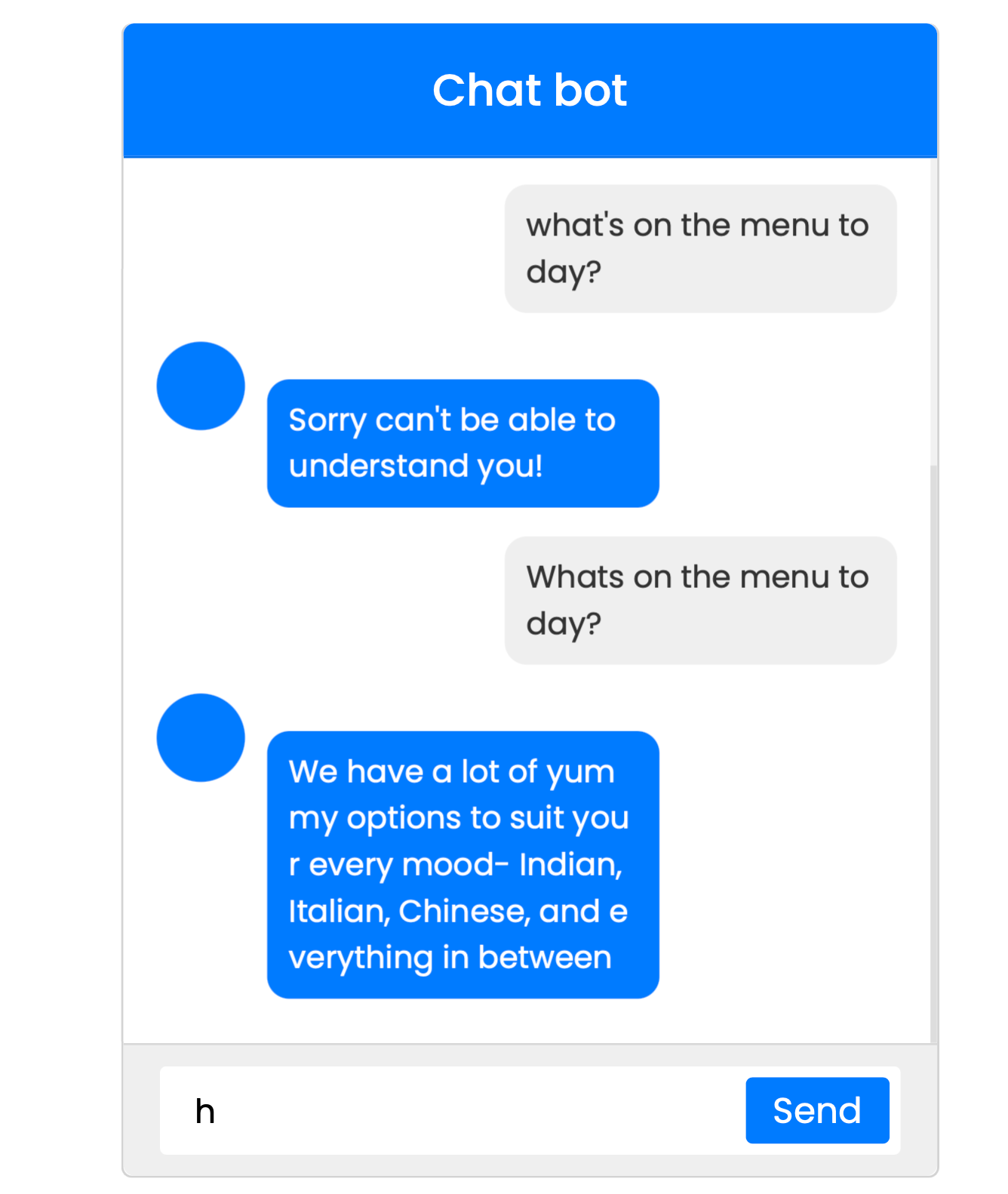
Response: If there is a matching query in the database, it sends back the response to the user. If there is no match, it returns a default message, "Sorry can't understand you!"
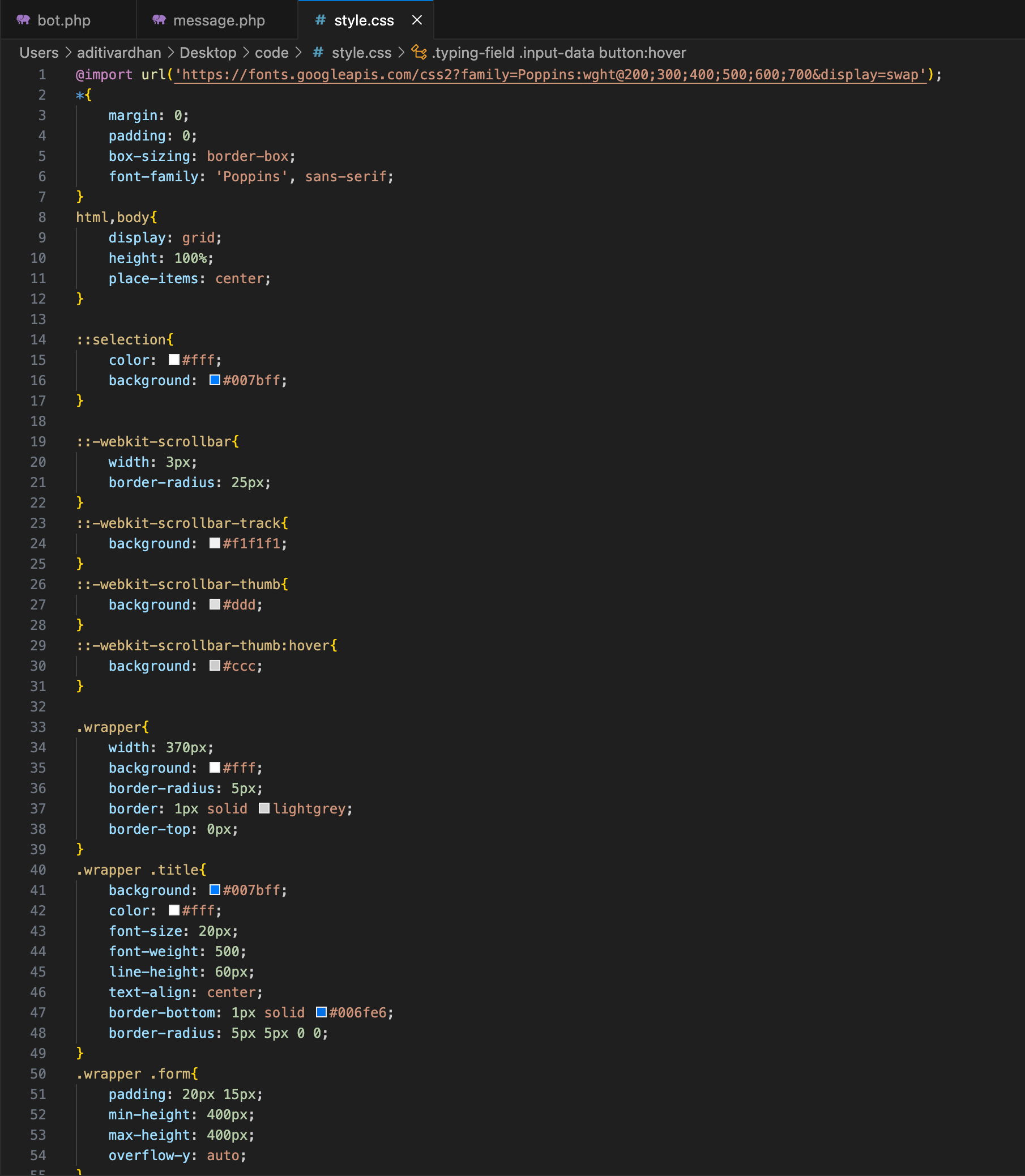
Styles the chatbot interface- CSS
Layout and Positioning: The chatbot box is centered on the page, with a fixed height and scrollable message area.
User and Bot Message Styles: User messages and Bot messages are aligned to the right and styled with a light background and aligned to the left and styled with a bright background respectively.
Button and Input Field: The input field allows users to type messages, while the Send button is styled to be visible only when there is text in the input field.
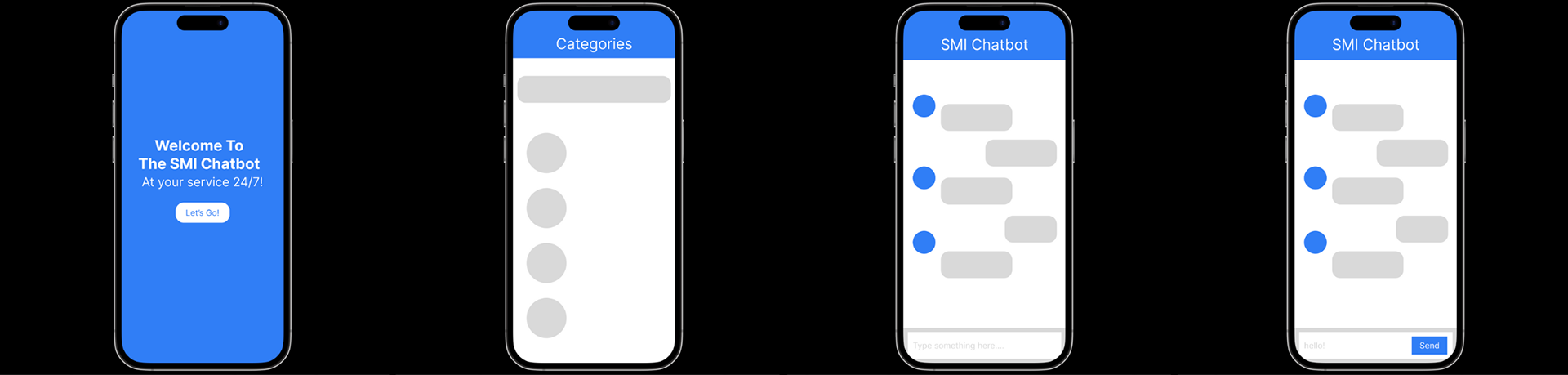
Final ChatBot